How to Clean Your iPhone Safely: A Step-by-Step Guide

Updated: Apr 9
Your iPhone goes everywhere with you — so it’s no surprise it picks up fingerprints, grime, dust, and even bacteria.
But if you’re wondering how to clean your iPhone safely, it’s important to follow a few simple rules. Cleaning it the wrong way can lead to scratches, charging problems, or even liquid damage.
Here’s how to do it right.

What you’ll need
A microfibre cloth (the same kind used for glasses)
A soft-bristled brush (like a clean makeup brush or anti-static brush)
A small amount of 70% isopropyl alcohol (optional for disinfecting)
A toothpick or SIM tool (for ports — used very carefully)
NO bleach, glass cleaner, or household spray!
How to clean the screen
Turn off the phone
Wipe the screen with a dry microfibre cloth in circular motions
If needed, lightly dampen the cloth with water or a 70% alcohol mix (spray the cloth, never the phone)
Avoid getting moisture into the speaker, mic or ports
How to clean the back and sides
Use the same cloth to clean the rear and edges. If you have a case, take it off and wipe inside it too.
If you’ve dropped the phone recently, check the edges for tiny cracks — cleaning can help reveal hidden damage.
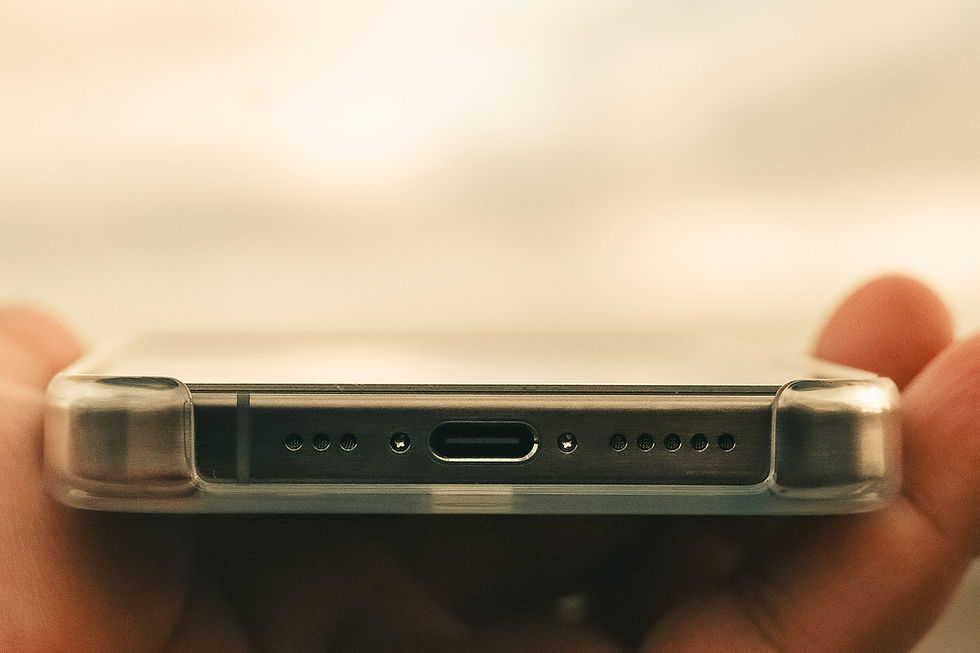
How to clean the charging port
This part is tricky — and we often get calls from people who’ve damaged theirs trying to clean it.
To do it safely:
Shine a torch into the port
Use a dry, non-metal tool (like a toothpick or SIM ejector) to gently remove dust or fluff
Never blow air into the port — it can push debris further inside
Avoid liquids entirely
If your cable still doesn’t sit properly or charging is unreliable, your dock connector might need professional repair.
What NOT to do
Don’t use hand sanitiser, Dettol, bleach or any strong cleaner
Don’t soak your cloth or spray anything directly onto the phone
Don’t poke the speaker holes — they’re easy to damage
Don’t charge the phone while cleaning
Need help with damage caused during cleaning?
It happens more often than you’d think. At Kent iPhone Repair, we’ve helped people fix:
Broken charging ports after cleaning attempts
Damaged speaker grilles
Cracked screens made worse by pressure
If you’re not sure whether you’ve caused damage, get in touch — we’ll take a look and give honest advice.
We serve the whole of Kent, including:
Take care of your iPhone the right way — and let us help if something goes wrong.