What To Do If Your iPhone Gets Wet

Your iPhone just got wet. Here's what to do if your iphone gets wet in the next five minutes — and what not to do.
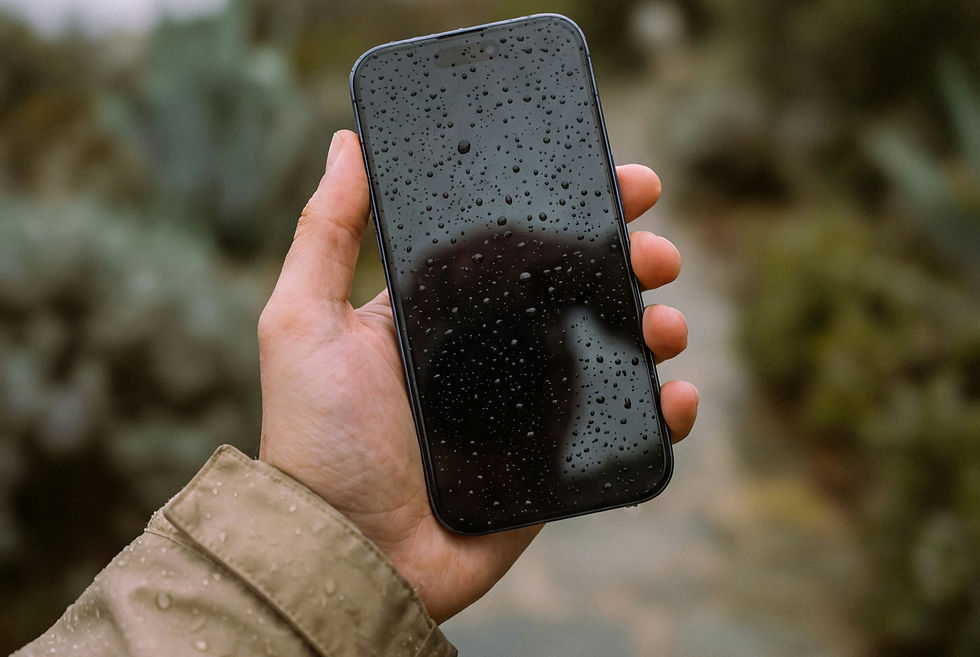
Do This First (The Next 5 Minutes Matter)
1. Get it out of the liquid immediately and power it off Don't unlock it, don't check for damage, don't take a photo of the situation. Hold the side button and power it off as fast as you can. Water causes damage by conducting electricity through components that aren't meant to carry it. The longer the phone is on and wet, the greater the risk.
2. Do not plug it in This is the most common mistake people make. Charging a wet iPhone can cause an immediate short circuit and turn a recoverable situation into a permanent one. Leave it unplugged — even if the battery is low.
3. Remove the case Cases trap moisture against the phone. Take it off and set it aside.
4. Gently shake any water from the ports, then leave it alone Hold the phone with the charging port facing down and give it a few gentle taps. Then set it on a dry cloth or surface, port-side down, somewhere with decent airflow. Don't poke anything into the ports and don't use a hairdryer.
5. Leave it for at least 24 hours before trying to turn it back on This is the part most people can't resist skipping. Turning the phone on too early — even just to "quickly check" — is where a lot of water-damaged iPhones stop working permanently.
The Rice Myth: Please Don't Do This
Putting your iPhone in rice is one of the most widely repeated pieces of advice on the internet, and Apple have specifically warned against it. Rice does very little to absorb moisture from inside a sealed device — but rice dust and starch particles can get into the charging port and speaker grilles, causing additional problems. It also gives people a false sense of doing something productive, when what the phone actually needs is simply time and airflow.
If you want to speed up the drying process, a sealed container with silica gel packets (the small moisture-absorbing sachets you find in shoeboxes and vitamin bottles) is a more effective option. But dry air and patience works just fine.
What "Waterproof" Actually Means for iPhones
Most people assume that because modern iPhones are IP67 or IP68 rated, a drop in water is not really a problem. It's worth understanding what those ratings actually mean — and where the limits are.
Model | IP Rating | Lab Test Depth | Lab Test Duration |
iPhone 7 / 8 | IP67 | 1 metre | 30 minutes |
iPhone X / XS / 11 | IP68 | 2 metres | 30 minutes |
iPhone 12 / 13 / 14 | IP68 | 6 metres | 30 minutes |
iPhone 15 / 16 | IP68 | 6 metres | 30 minutes |
A few things this table doesn't tell you:
These are lab conditions, not real-world guarantees. The tests use still, fresh water at controlled temperature. Your toilet, kitchen sink, puddle, or pint glass is none of those things. Chlorinated pool water, salt water, and carbonated drinks are significantly more aggressive on internal seals than the test standard.
Water resistance degrades over time. The seals that protect your iPhone weaken with age, heat cycles, and everyday impacts. A two-year-old iPhone 13 does not have the same water resistance as a brand new one, even if it's never been dropped or repaired.
Apple does not cover water damage under warranty. Even if your phone technically meets the IP68 standard, liquid damage is excluded from AppleCare and the standard warranty. Your phone's water resistance is a safety net, not an insurance policy.
Signs Your iPhone Has Water Damage
Even if your phone seems to be working after getting wet, water damage isn't always immediately obvious. Corrosion can develop inside the device over days or even weeks.
Watch for:
Screen flickering, dark patches, or a pink/green tint — water between the display layers or behind the screen
Muffled or distorted audio from the speaker or earpiece — moisture in the speaker cavity
Charging problems or a "Liquid Detected" alert — water in the charging port; this alert is there to protect you, don't override it until the port is genuinely dry
The phone getting warmer than usual — a sign of internal short-circuiting or a battery reacting to moisture
Random restarts or an unusual reboot loop — water on the logic board causing erratic behaviour
The front camera appearing foggy — condensation inside the lens assembly
Any of these symptoms after water exposure means the phone needs to be assessed professionally. Leaving water damage untreated doesn't mean it stays manageable — corrosion is progressive and what's a minor fault today can become a dead phone in a month.
What To Do When Your iPhone Gets Wet with Salt Water or Pool Water
Get it checked straight away if:
The phone got wet with salt water, pool water, or any liquid other than fresh water — these are far more corrosive and time matters
The phone was submerged rather than just splashed
It switched off by itself after getting wet and won't turn back on
There's visible condensation inside the screen or camera lens
You notice any of the symptoms listed above
It's probably fine to wait and monitor if:
It was a brief splash of fresh water and the phone is behaving completely normally
You powered it off immediately and it has had adequate time to dry
If you're not sure, err on the side of getting it looked at. Water damage repairs are significantly less costly when dealt with early. Once corrosion takes hold on the logic board, the options become much more limited.
Can Water-Damaged iPhones Be Fixed?
Often, yes — particularly when the damage is caught early. The most common water damage repairs are:
Charging port replacement — the charging port is one of the most exposed components and frequently damaged by liquid. Replacement is straightforward and relatively affordable.
Speaker and microphone repair — water in the speaker cavity often causes muffled or distorted sound. In many cases this resolves itself as the phone dries; in others, the speaker needs replacing.
Screen replacement — if water has got between the display layers, the screen will typically need replacing. The internal components beneath it may be unaffected.
Logic board cleaning and repair — this is the most involved type of water damage repair, required when liquid has reached the main board. Success rates are good when treated promptly; much lower once corrosion has progressed.
What water damage repair cannot do is reverse corrosion that has already spread. This is why speed matters — a phone brought in the same day it got wet has considerably better outcomes than one that's been sitting for a week.
Water Damage Repair in Kent
At KiR, we assess and repair water-damaged iPhones across Ashford and the surrounding area — and we come to you, so you're not without your phone any longer than necessary.
Water damage repairs are priced after assessment, as the extent of damage varies considerably between phones. If we assess your phone and can't fix it, you won't be charged.
If your phone has just got wet and you're not sure what to do next, feel free to message us — we're happy to give you advice before you commit to anything.
Frequently Asked Questions
My iPhone got wet but it still works fine. Should I still get it checked? If it was a brief splash of fresh water and everything is working normally, you're likely fine. But if it was submerged, or exposed to salt water, pool water, or any other liquid, it's worth getting a professional look even if it seems okay. Corrosion can develop gradually and isn't always immediately apparent.
My iPhone says "Liquid Detected" — what does that mean? It means the iPhone's internal sensors have detected moisture in or near the charging port. Don't charge the phone until this alert clears — doing so risks a short circuit. Leave the port facing down in a well-ventilated area and give it several hours. If the alert doesn't clear, or if the phone is showing other symptoms, bring it in for assessment
Is it worth repairing a water-damaged iPhone? Usually yes, particularly for iPhone X models and newer. The cost of water damage assessment and repair is almost always lower than replacing the phone. The key variable is how quickly you act — early intervention gives significantly better outcomes.
Does Apple cover water damage? No. Liquid damage is explicitly excluded from Apple's warranty and AppleCare coverage, regardless of the phone's IP rating. You may have some rights under consumer law depending on the circumstances, but Apple will not repair water damage for free.
Will putting my iPhone in rice fix water damage? No. Apple themselves advise against this. Rice does very little to draw moisture from inside a sealed device, and rice particles can cause additional problems in ports and speaker grilles. Your phone needs time, airflow, and — if it's showing any symptoms — professional assessment.
KiR offers mobile iPhone repair and water damage assessment across Ashford, Folkestone, Canterbury, and the surrounding areas of Kent. We come to your home or workplace — same-day appointments available.


